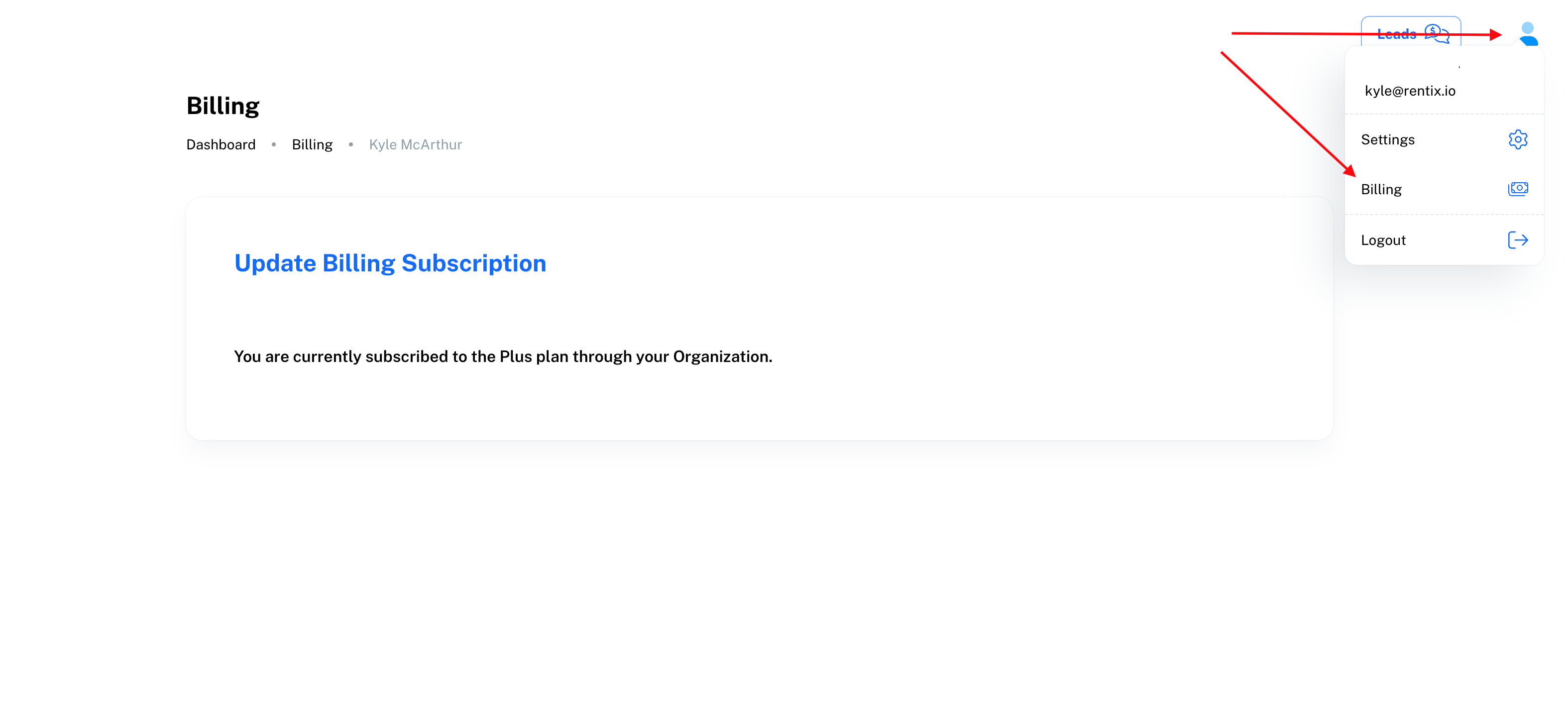
If you have a code from your organization you can redeem it to gain access to your plan. If you are not on the billing page navigate there by clicking your user profile in the top right and then billing.
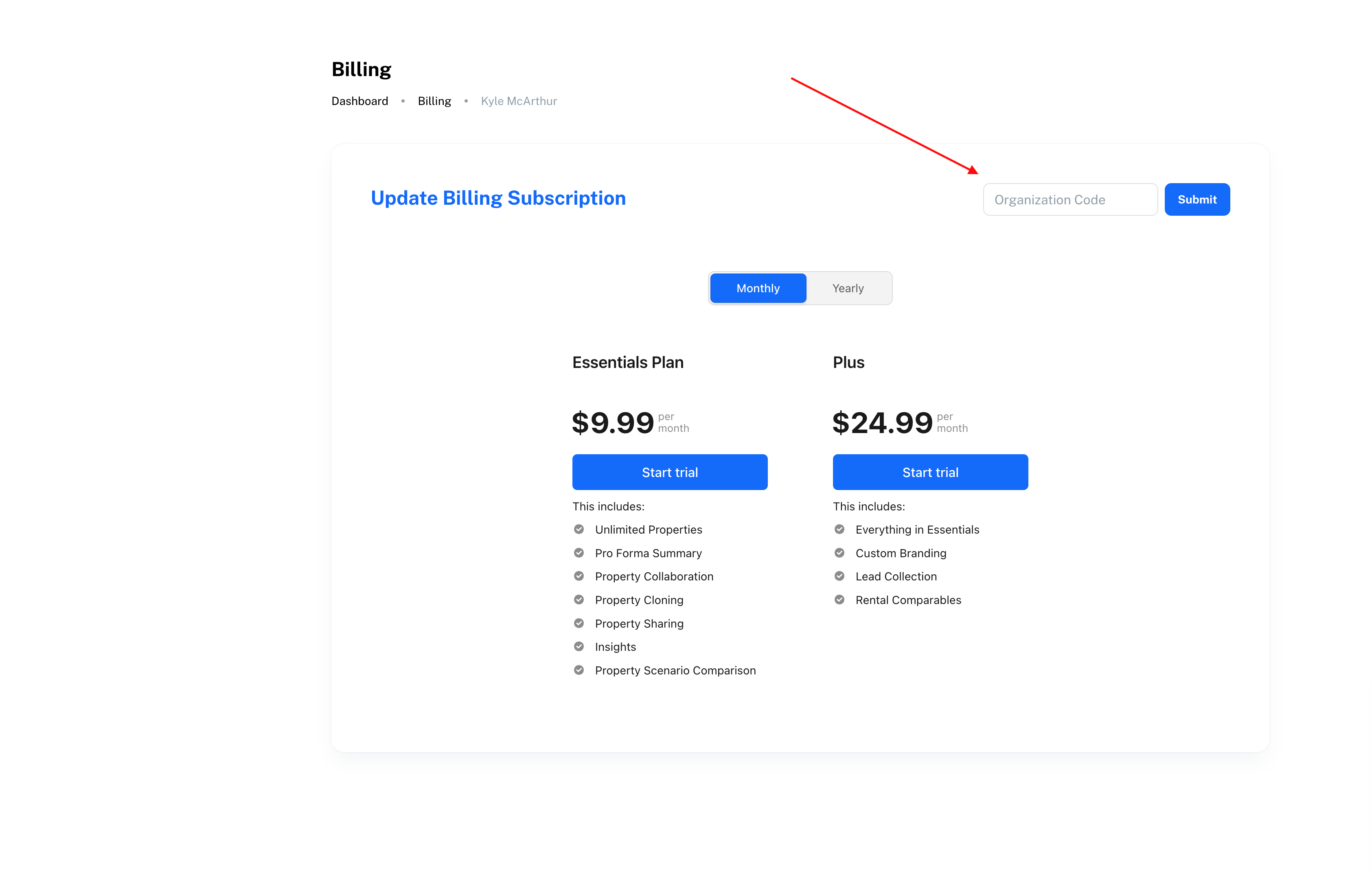
Once you are on your billing page, you can enter the code in the Organization Code input.
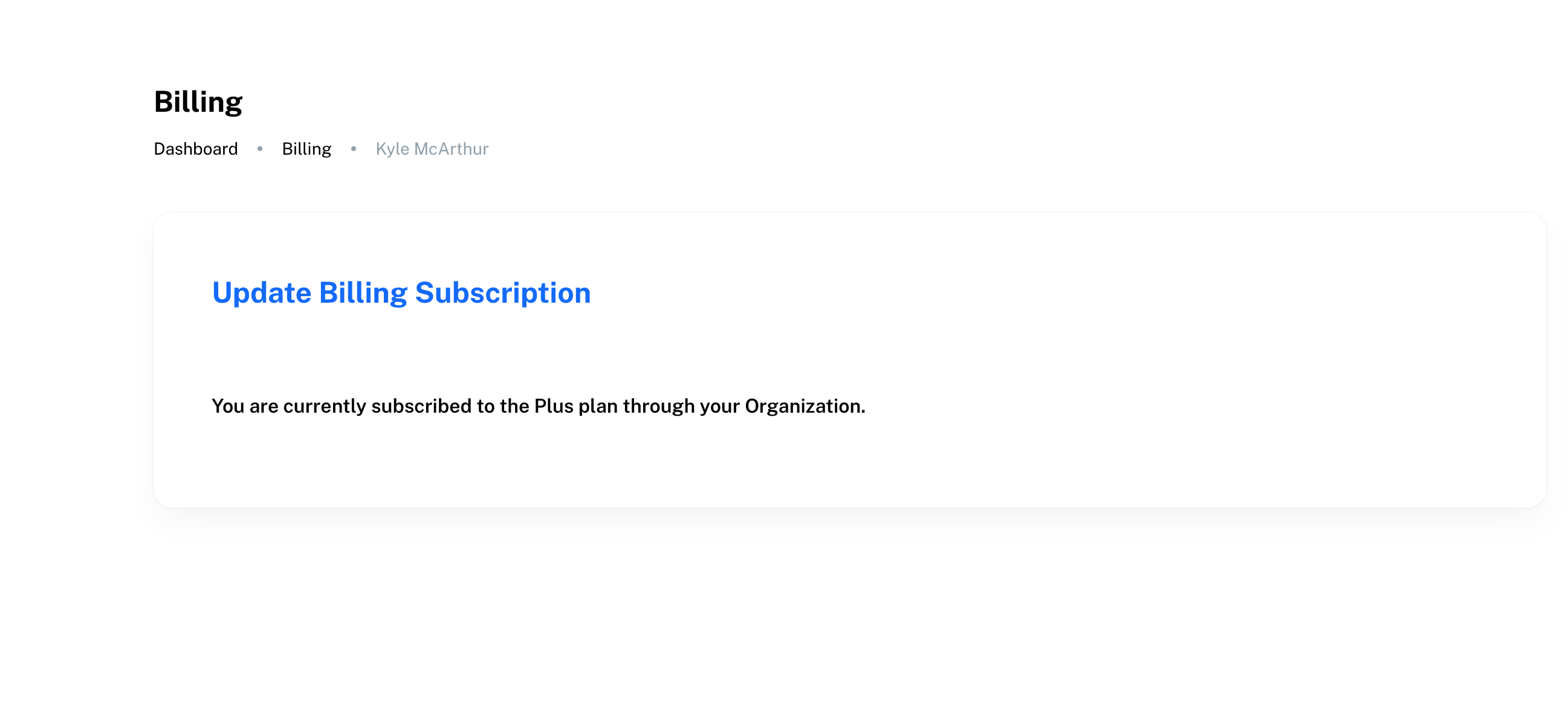
Once you click submit, your code will be applied and you should see a message like this:
Congratulations, your account is now activated and you can begin using Rentix!